Pacific 2.0™
Setting Up Your Pump Station Has Never Been Easier
Your Command Center – The Power of the Overview Screen
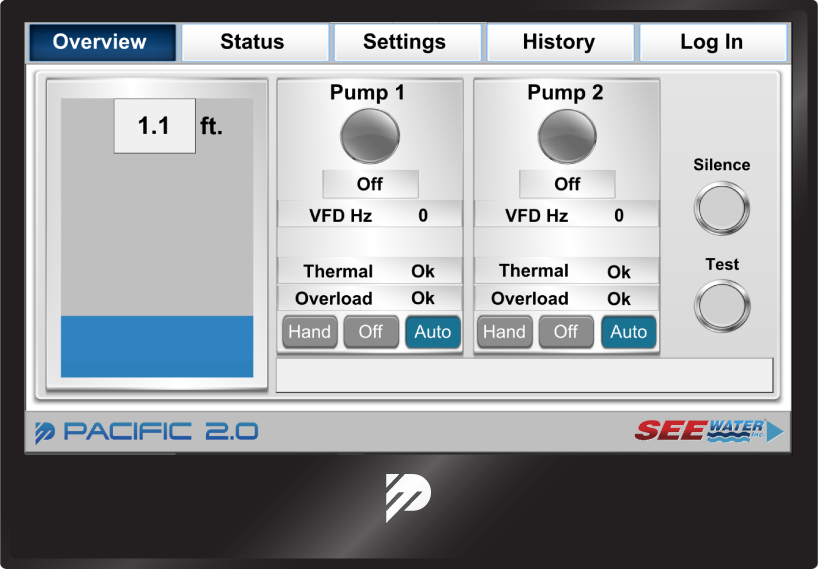
View all of the critical information about your control panel right from the Overview screen, including, but not limited to:
Active Liquid Level in the Containment Area
Pump Run and Pump Fault Status
Current VFD Frequency
Alarm Banner Display: Faults & Alarms
Alarm Test and Silence Buttons
HOA Switches
Easily Adjust Parameter Settings and Calibrate Your Liquid Level Sensors
Have you ever experienced issues calibrating a transducer or have questions about the settings or configuration setup?
Pacific 2.0 is the Solution for you
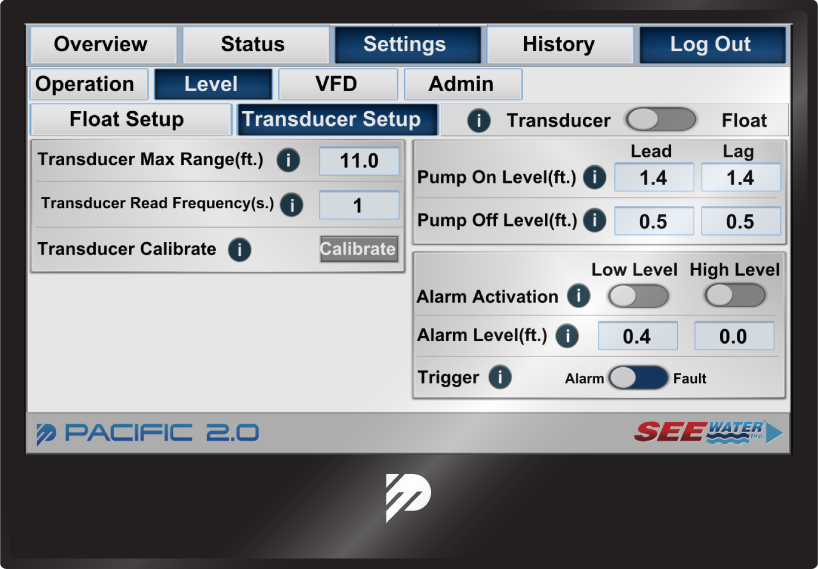
Transducer Setup and Calibration
Pump "On" and Pump "Off" Level Setpoints
Level Alarm Activation and Setpoints
Additional Features
Customizable
Operate up to four pumps on our standard 7” screen. More pumps may be operated on custom panels when upgraded to a larger HMI touchscreen controller.
Load Balancing
Configure your panel to alternate pump operation based on pump cycle counts or pump run times.
Pump Exerciser
Configure your panel to cycle pumps for a set amount of time and frequency. For example, you may exercise the pumps once a month for a 10 seconds.
Backup Float
In the event that the control panel recognizes a failed 4-mA signal, it will automatically engage into backup float mode.
4-20mA Compatible
In addition to the standard submersible pressure transducer, radar, and ultrasonic sensors may be used as well.
VFD Compatible
Any VFD that can be controlled through Modbus is compatible with Pacific 2.0™.
Secure Users
For added security, you must be logged in to adjust any control panel setting (even for simple adjustments such as toggling HOA switches).
Data Logging
Every pump run event or control panel alarm/fault is automatically via a flash drive into CSV format.
Communications
Setup screens for RS485 and TCP/IP configuration (Modbus and BACnet) are provided within interface for easy system integration.
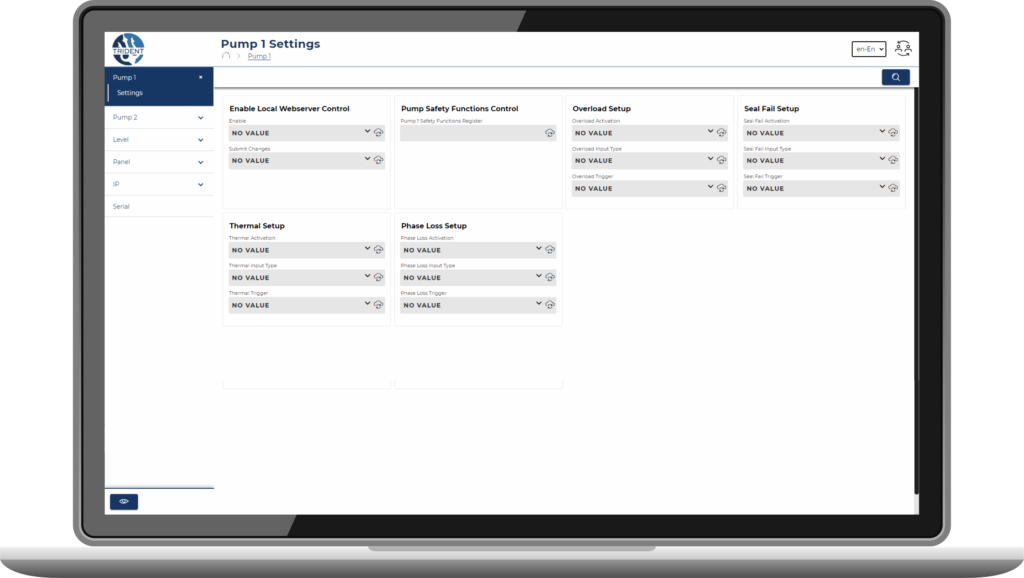
Trident Web Server